
Authentication and User Management
QDash uses JWT-based authentication with a two-tier role system: system roles (admin/user) and project roles (owner/editor/viewer). Only administrators can create new user accounts.
System Roles
System roles control platform-wide permissions:
| Role | Capabilities |
|---|---|
| Admin | Create new users, reset any user's password |
| User | Standard access, can only change own password |
How Admin Role is Assigned
The admin role is assigned based on the QDASH_ADMIN_USERNAME environment variable. When a user is created with a username matching this variable, they are automatically assigned the admin role.
# Example: Set admin username in environment
export QDASH_ADMIN_USERNAME=admin
User Registration
Only administrators can register new users. When a new user is created:
- Admin calls the registration endpoint with username and password
- A default project is automatically created for the new user
- The new user receives an access token for immediate use
API Example
curl -X POST "https://your-qdash-instance/auth/register" \
  -H "Authorization: Bearer ADMIN_TOKEN" \
  -H "Content-Type: application/json" \
  -d '{
    "username": "newuser",
    "password": "secure_password",
    "full_name": "New User"
  }'
Password Management
QDash provides two methods for password management:
1. Self-Service Password Change
Any authenticated user can change their own password by providing the current password.
| Endpoint | Method | Auth Required |
|---|---|---|
/auth/change-password | POST | Yes (any user) |
Request Body:
{
  "current_password": "old_password",
  "new_password": "new_secure_password"
}
Example:
curl -X POST "https://your-qdash-instance/auth/change-password" \
  -H "Authorization: Bearer YOUR_TOKEN" \
  -H "Content-Type: application/json" \
  -d '{
    "current_password": "old_password",
    "new_password": "new_secure_password"
  }'
2. Admin Password Reset
Administrators can reset any user's password without knowing the current password. This is useful for password recovery scenarios.
| Endpoint | Method | Auth Required |
|---|---|---|
/auth/reset-password | POST | Yes (admin only) |
Request Body:
{
  "username": "target_user",
  "new_password": "new_secure_password"
}
Example:
curl -X POST "https://your-qdash-instance/auth/reset-password" \
  -H "Authorization: Bearer ADMIN_TOKEN" \
  -H "Content-Type: application/json" \
  -d '{
    "username": "target_user",
    "new_password": "new_secure_password"
  }'
Login and Logout
Login
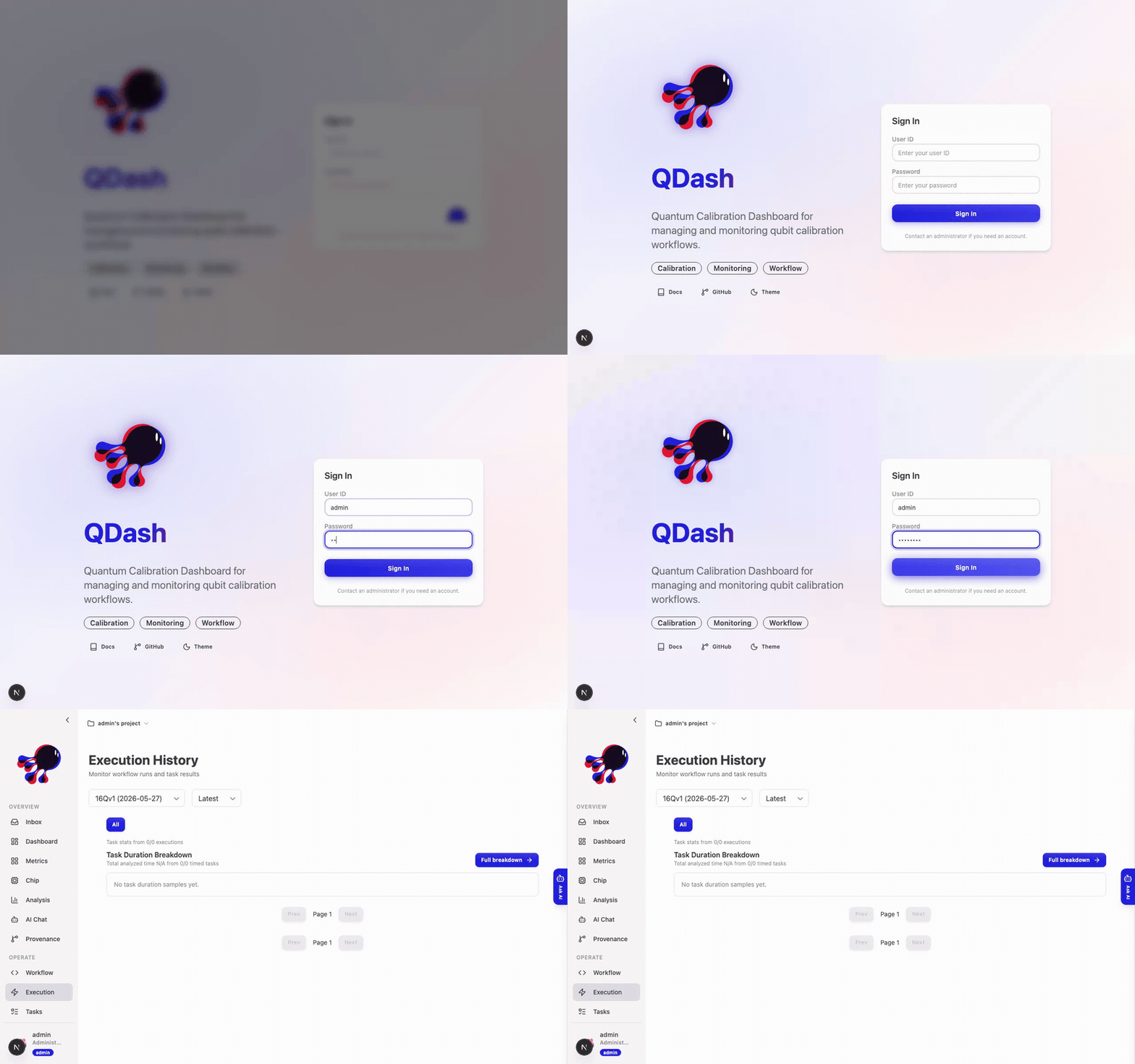
Sign in from the /login page with your user ID and password. On success QDash takes you to the Execution page for your default project.
For programmatic access, authenticate against the API to receive an access token.
curl -X POST "https://your-qdash-instance/auth/login" \
  -H "Content-Type: application/x-www-form-urlencoded" \
  -d "username=your_username&password=your_password"
Response:
{
  "access_token": "your_access_token",
  "token_type": "bearer",
  "username": "your_username",
  "default_project_id": "project_id"
}
Logout
The logout endpoint confirms the logout action. Since tokens are managed client-side, the client is responsible for removing stored credentials.
curl -X POST "https://your-qdash-instance/auth/logout"API Authentication
Include the access token in the Authorization header for all authenticated requests:
Authorization: Bearer <your-access-token>Getting Current User Info
curl -X GET "https://your-qdash-instance/auth/me" \
  -H "Authorization: Bearer YOUR_TOKEN"
Response:
{
  "username": "your_username",
  "full_name": "Your Name",
  "disabled": false,
  "default_project_id": "project_id",
  "system_role": "user"
}
Permission Summary
| Action | User | Admin |
|---|---|---|
| Login/Logout | Yes | Yes |
| View own profile | Yes | Yes |
| Change own password | Yes | Yes |
| Register new users | No | Yes |
| Reset any user's password | No | Yes |