
Architecture
Overview
QDash consists of three major components.
- UI
- Next.js frontend for workflow operation, monitoring, and analysis
- API
- FastAPI backend that handles user requests, authentication, project access, and database access
- Workflow
- Prefect-based calibration workflow runtime, deployment service, and user flow worker

Components
QDash UI
The UI is the frontend for users, developed with Next.js and React. It provides pages for dashboarding, chip/task inspection, workflow editing and execution, metrics, provenance, issue tracking, file management, and Copilot-assisted analysis.
The UI client and the standalone TypeScript client are generated with Orval from the OpenAPI schema exposed by the server. This ensures that when the server API specification changes, the client code is automatically updated.

QDash API
The API receives user requests, enforces authentication and project access, communicates with MongoDB and Prefect, and exposes the OpenAPI schema used to generate the UI and standalone TypeScript clients.

QDash Workflow
The workflow component manages qubit calibration workflows. Prefect is the workflow engine, while QDash stores user flow files, registers Prefect deployments through the deployment service, and executes user flows with the user flow worker.
The experimental libraries that have been used in the laboratory can be used as they are, so there is no need to change the experimental libraries.
The scheduling and log management functions of general workflow engines are supported, making workflow management easy.
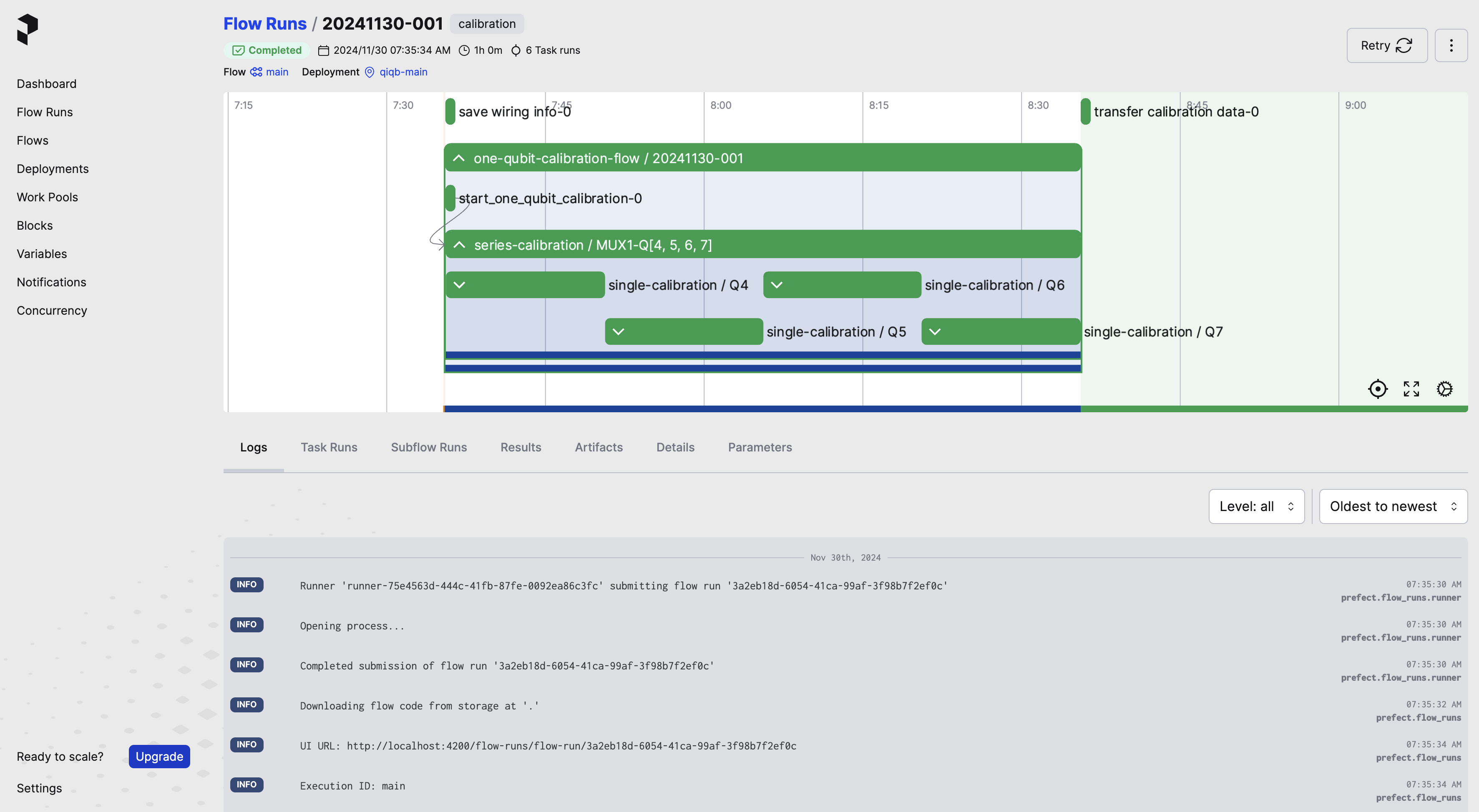
Calibration Flow
Calibration is performed in the following flow.
- The user requests calibration from the client via the server. At this time, the user specifies in the menu which qubits to experiment with and what kind of experiment to perform.
- The API saves or loads the user flow and asks the deployment service to register a Prefect deployment.
- The user flow worker executes the selected calibration tasks. Experimental libraries can be used from task implementations.
- The workflow handler has exclusive control and uses the execution lock to prevent multiple workflows from running at the same time.
- execution_id is generated from the execution_run_counter based on the execution date/time and execution count, and the workflow is executed. The execution_id is used to link the data for each execution.
- When the workflow execution is completed, the results are saved in various DB.
- The latest experimental results saved in each DB are used as initial parameters for the next calibration.
- If a user cancels a running execution, the API sends a cancel request to Prefect, which terminates the worker process via SIGTERM. The
on_cancellationhook then updates the execution and task statuses tocancelledand releases the execution lock.
